

Running live service at restaurants and cafés today
The POS that works the way you do.
Bloom POS runs your whole operation — orders from every channel, the kitchen, tables, delivery apps, inventory and reports — in one platform you can shape to your brand and your workflow.
- Delivery apps in one queue
- Square & Clover card payments
- Every branch from one login
- Four interfaces, 20+ looks
Running service every day at
- Bloom BawarchiBloomington · Decatur · Peoria, IL
- Flame N BaristaPeoria, IL
- Bloom BaristaBloomington, IL
What Bloom does
Every order, every screen, one system
Restaurants juggle a register, a kitchen printer and a tablet for every delivery app. Bloom brings every channel into one order queue — and sends each order exactly where it needs to go.
- Take every orderDine-in, pickup, catering and delivery apps on one fast screen.
- Run the kitchen & floorTickets by station, chef tracking, live tables and reservations.
- Know your numbersSales, order mix and bestsellers for one branch or all of them.
What makes Bloom different
Your POS should look and work like your business
Bloom's Style editor re-themes every screen to your brand — and your menus, roles, tables and branches are set up your way too.
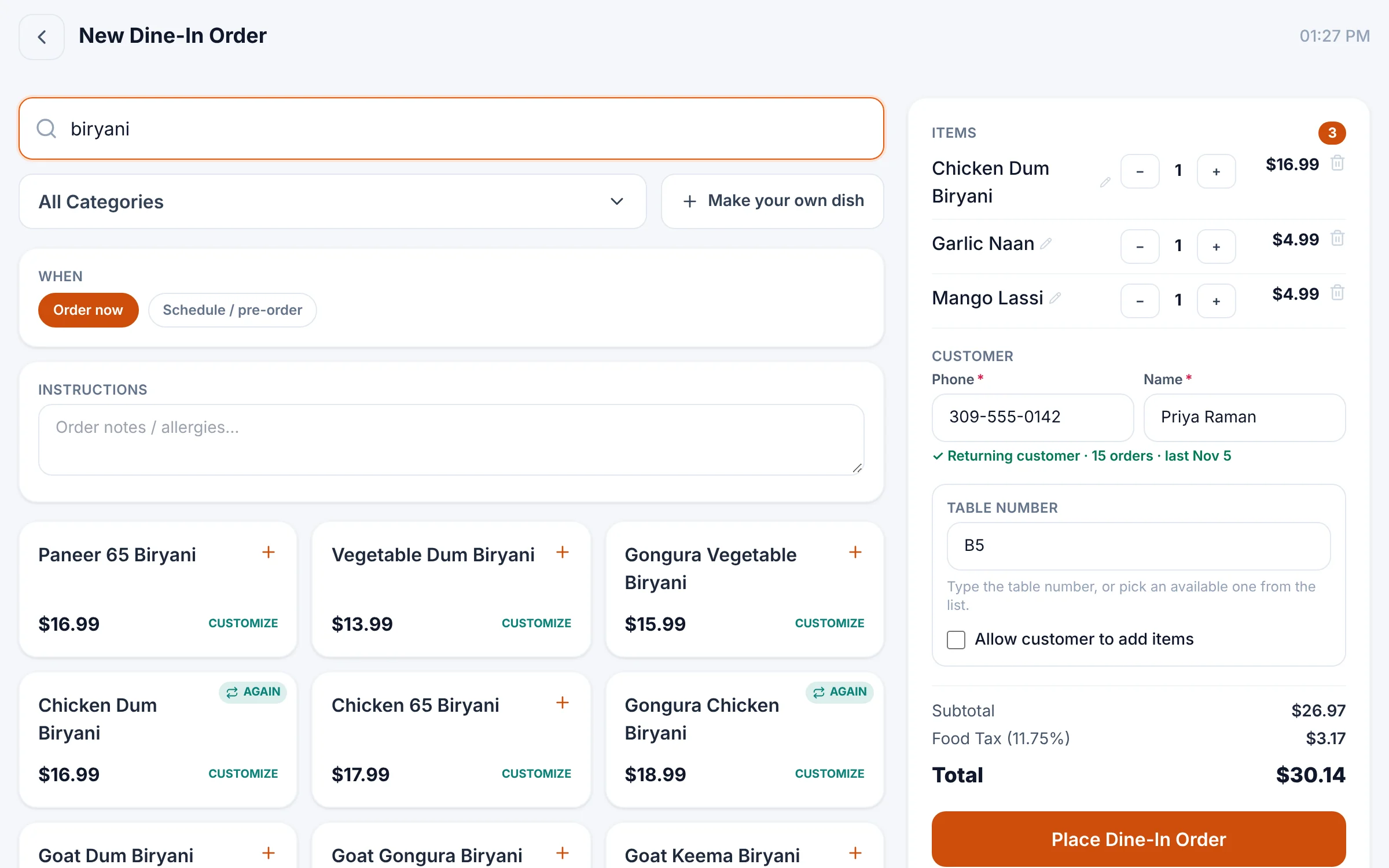
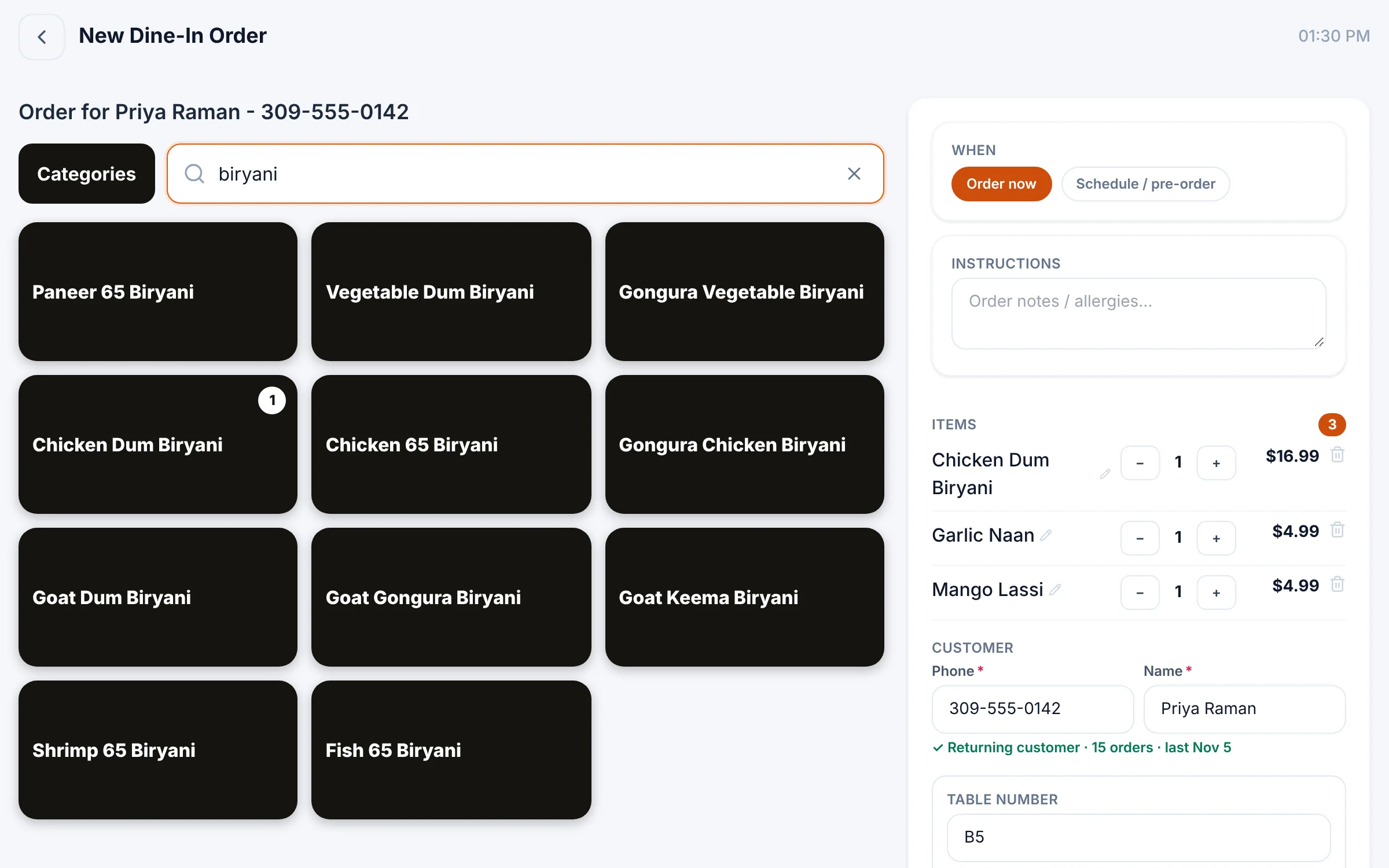
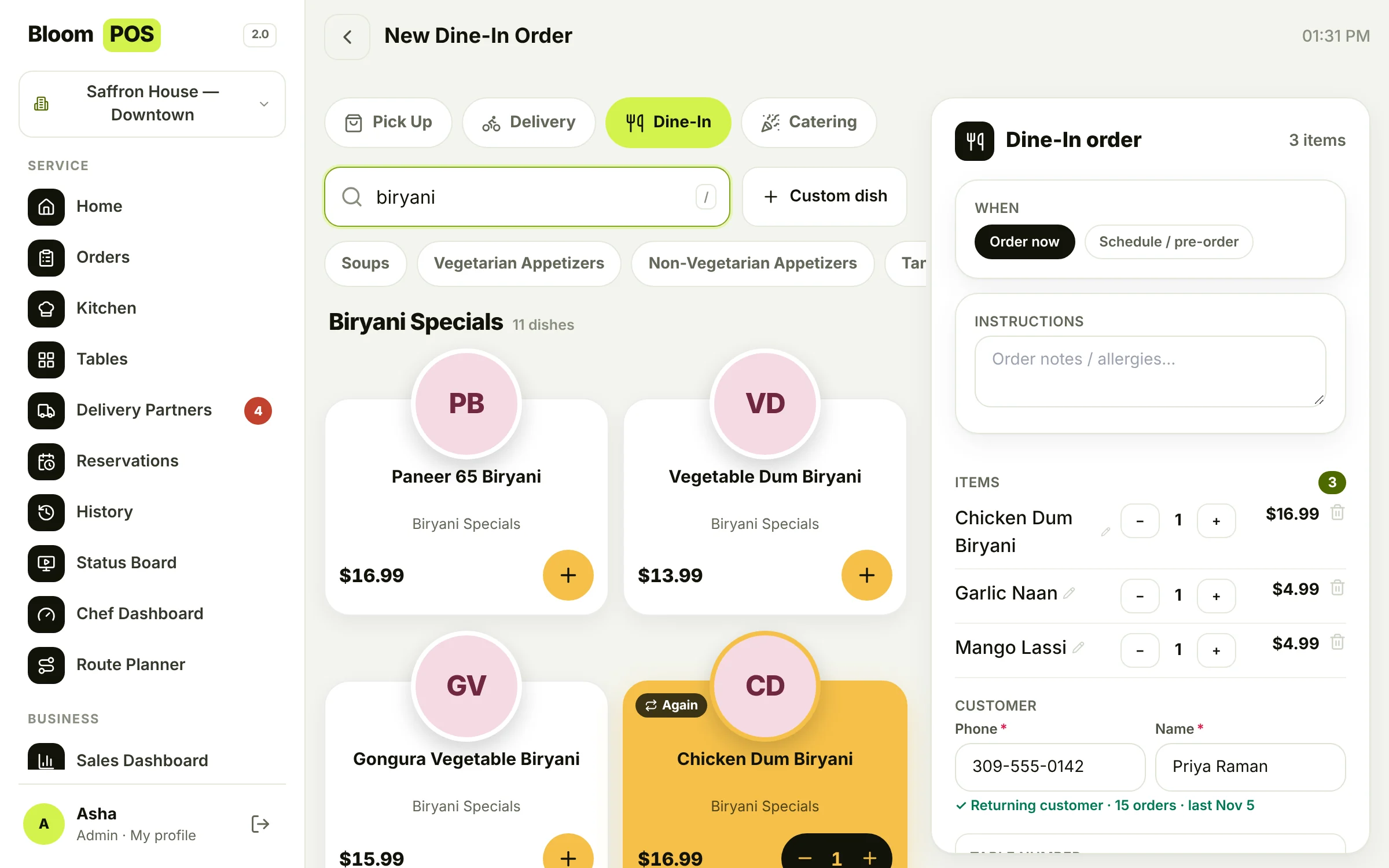
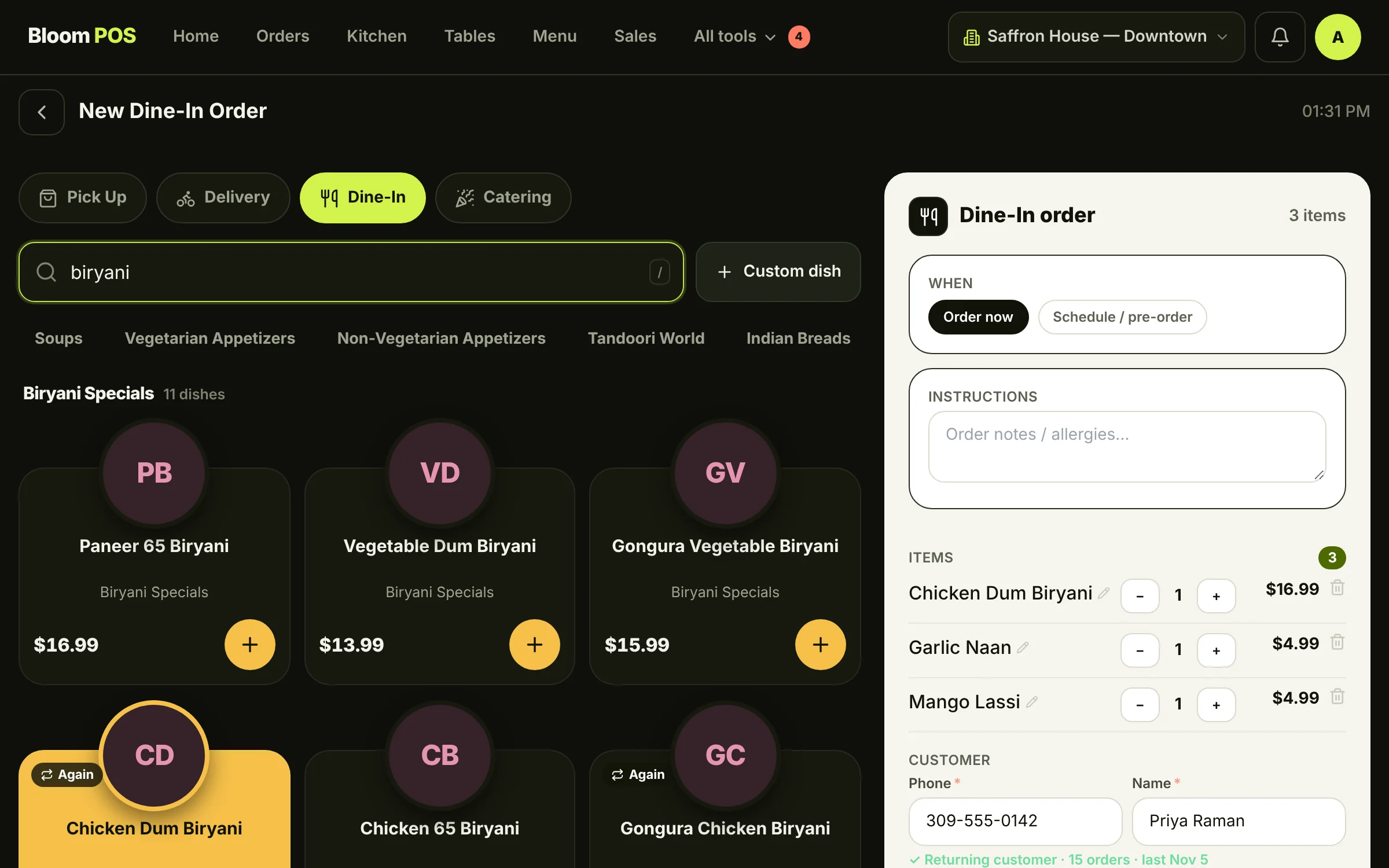
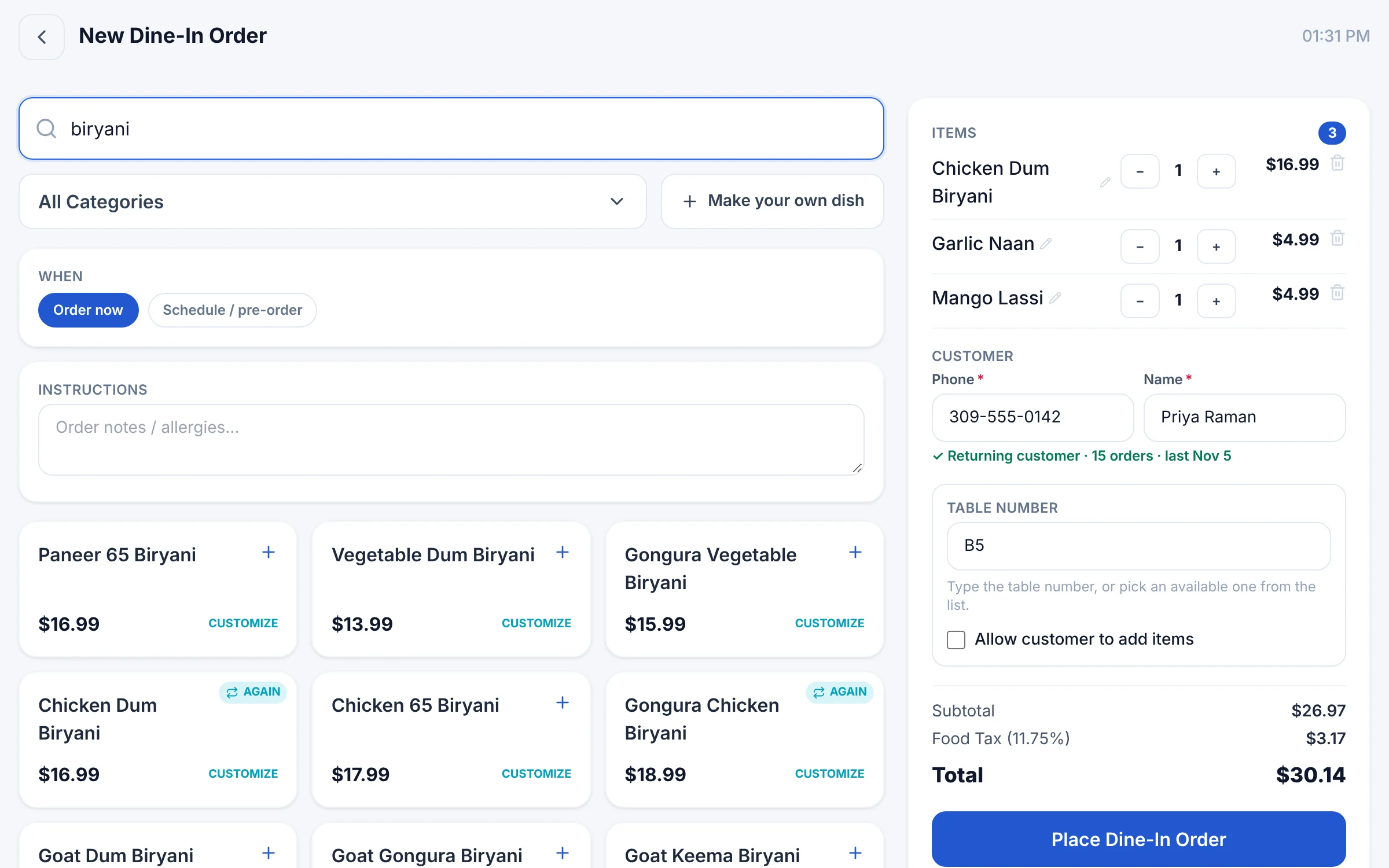
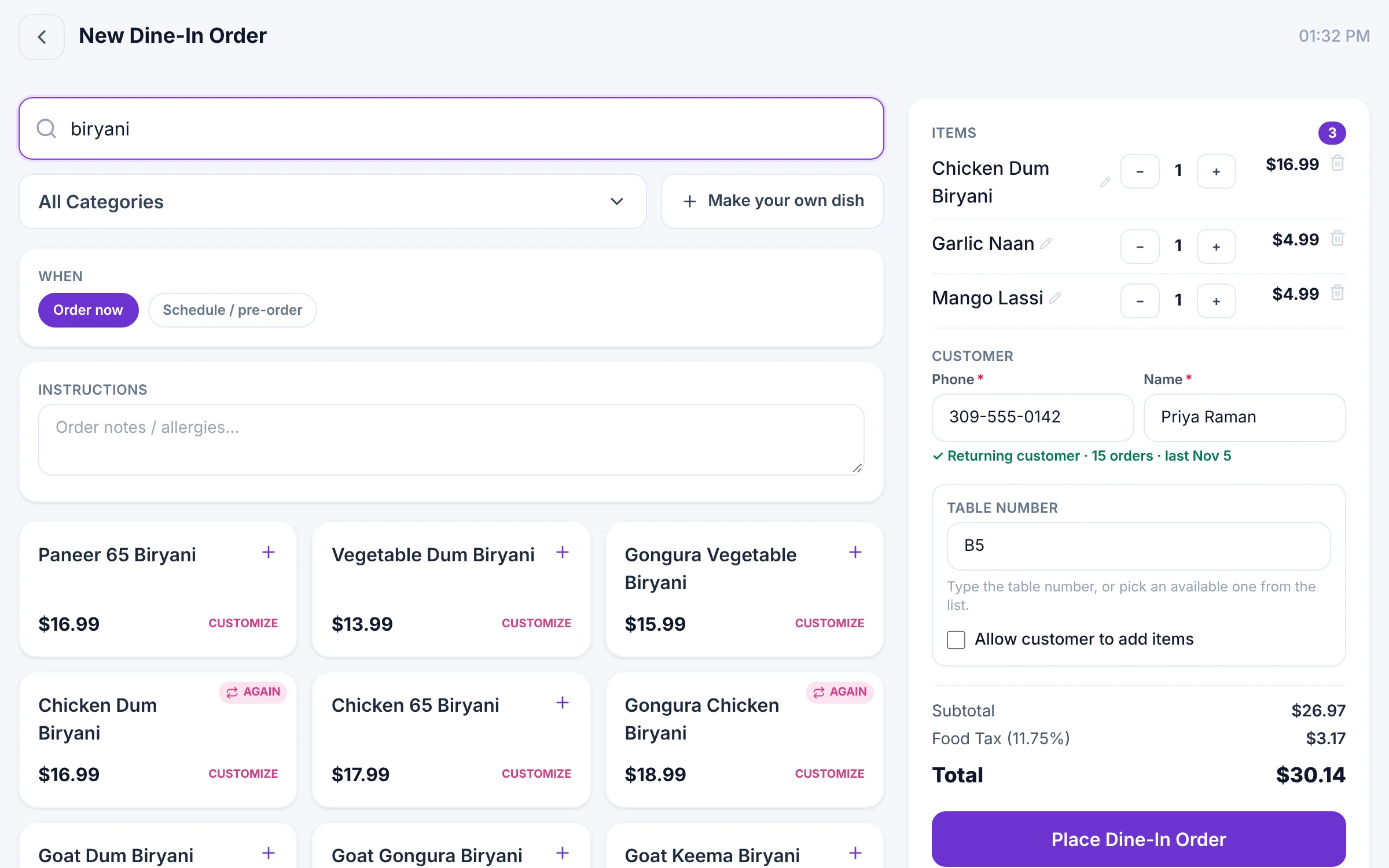
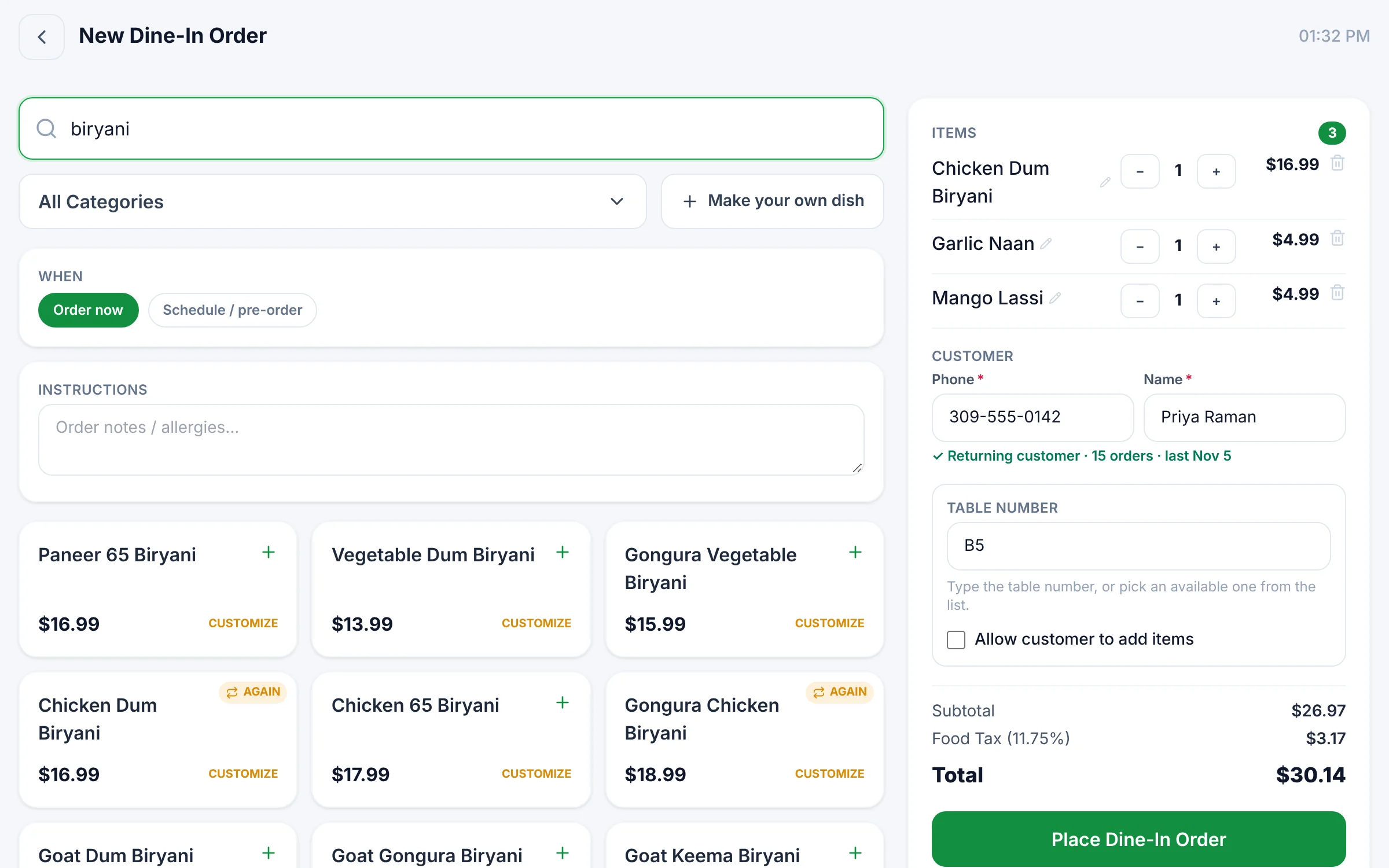
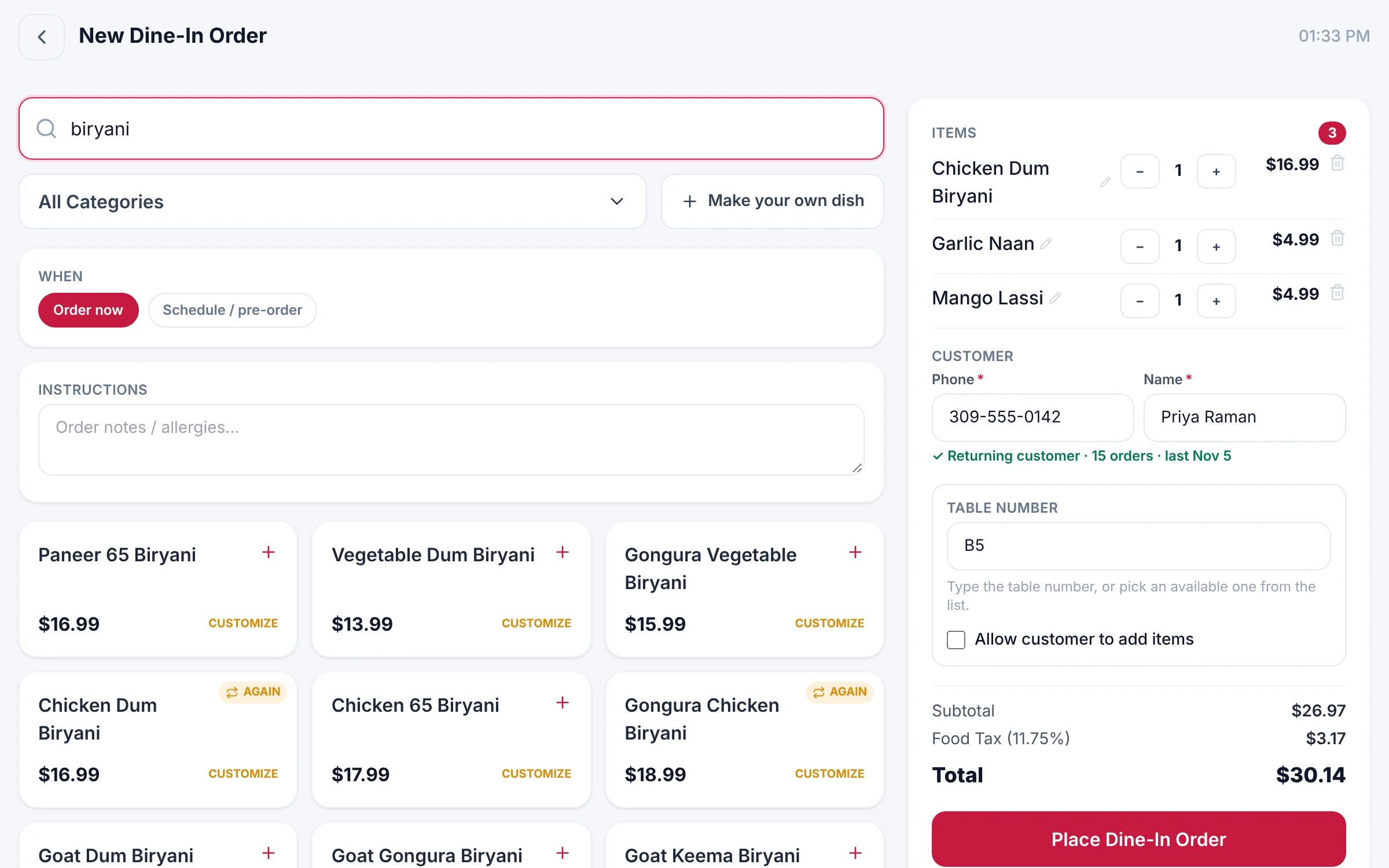
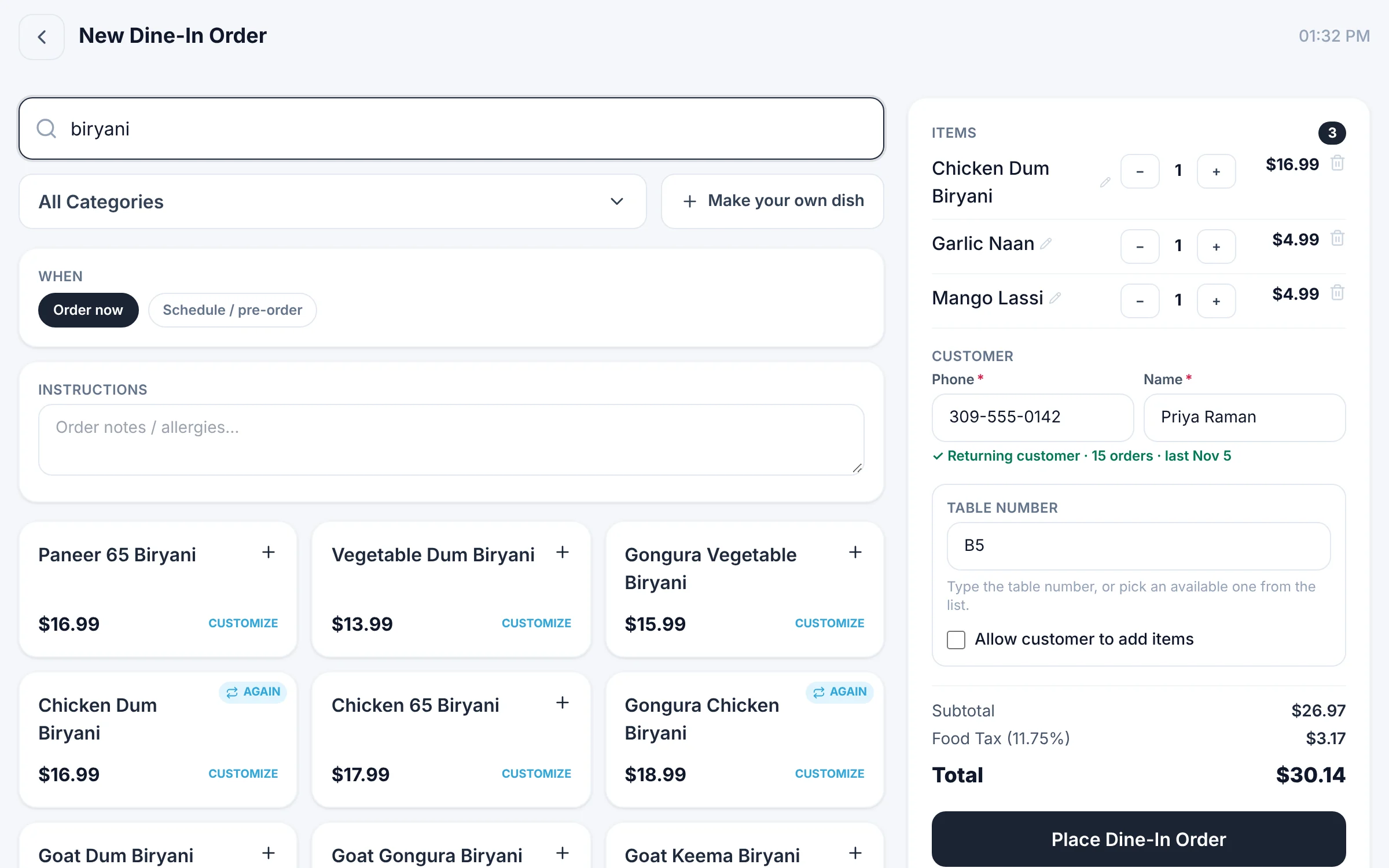
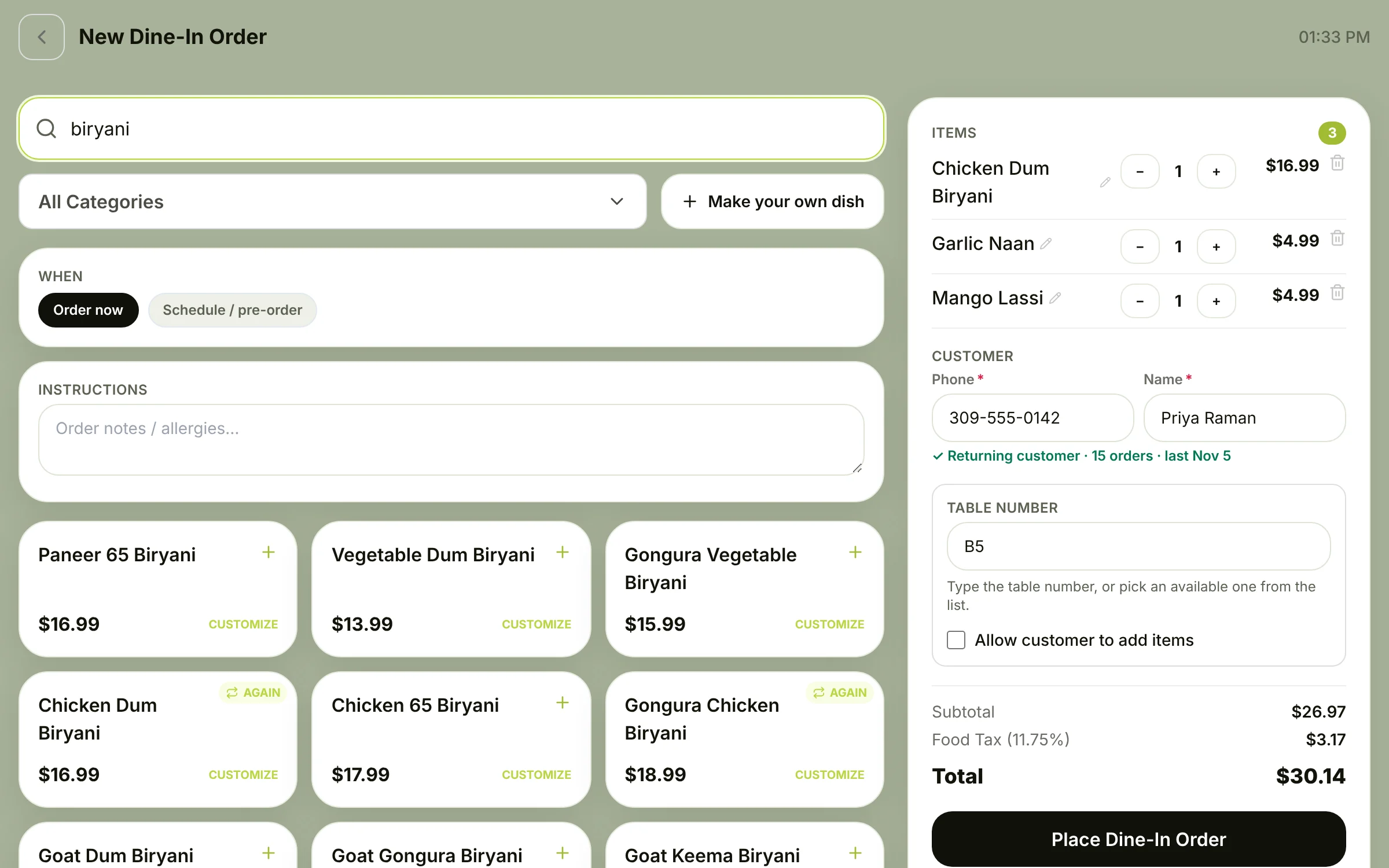
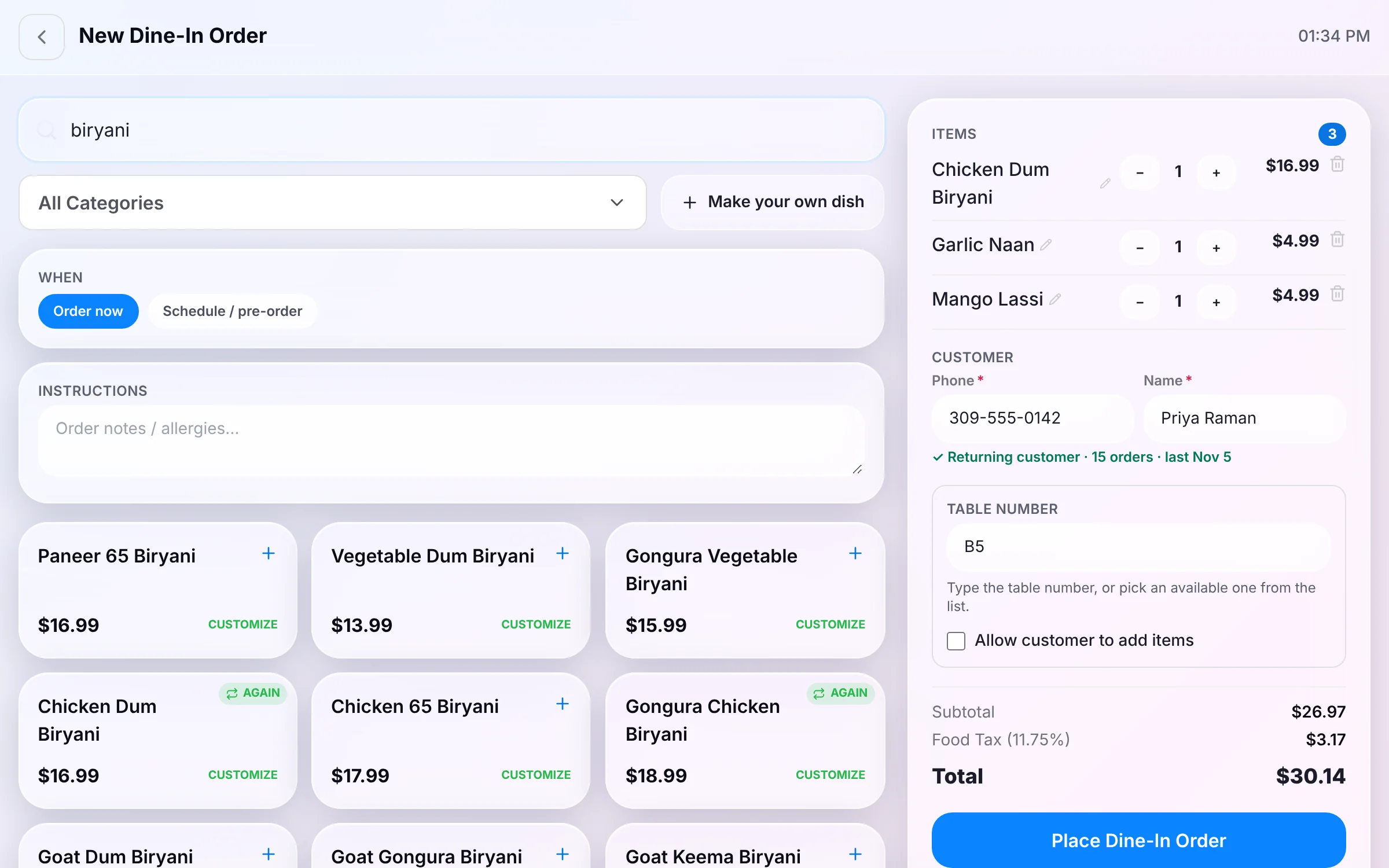
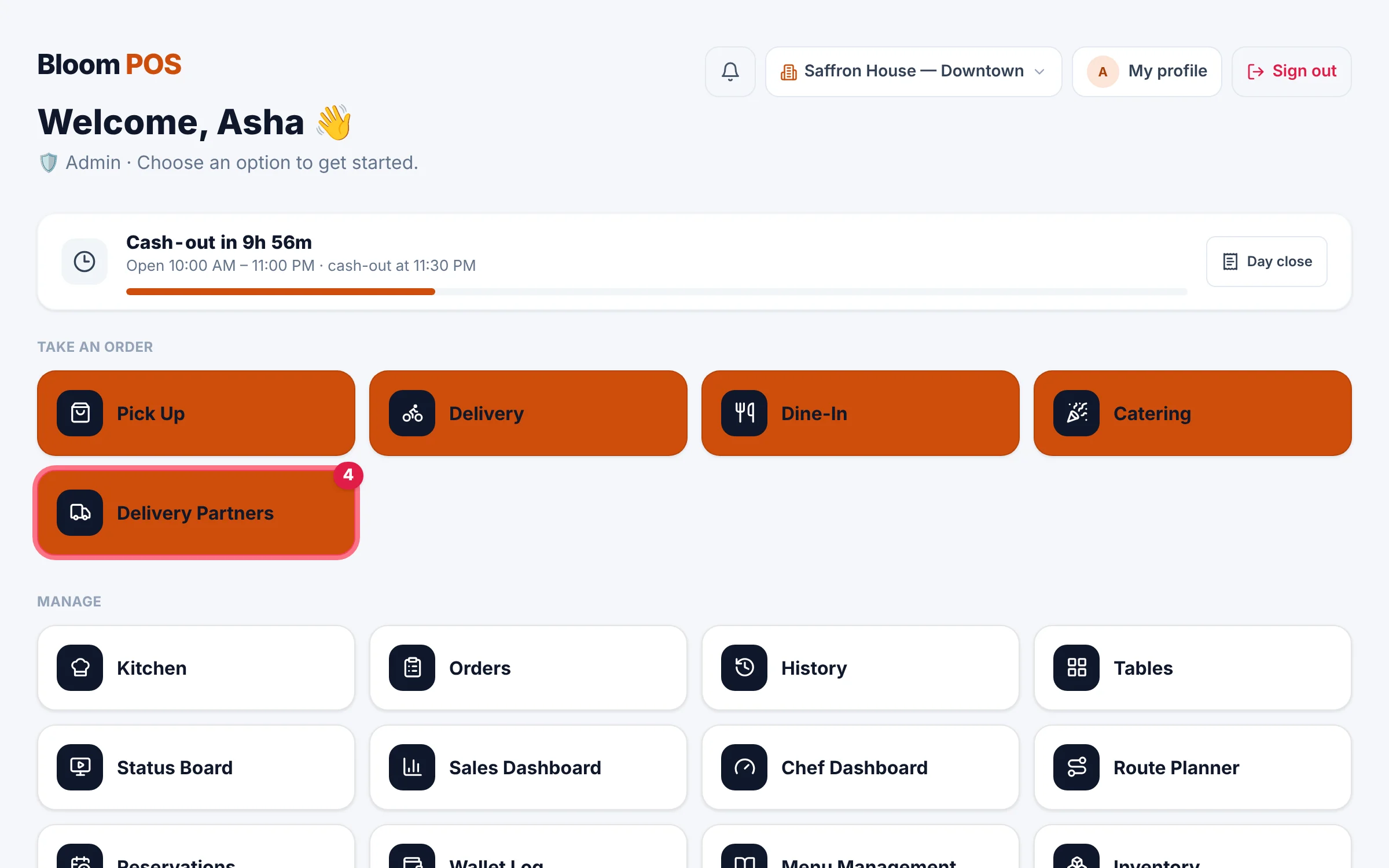
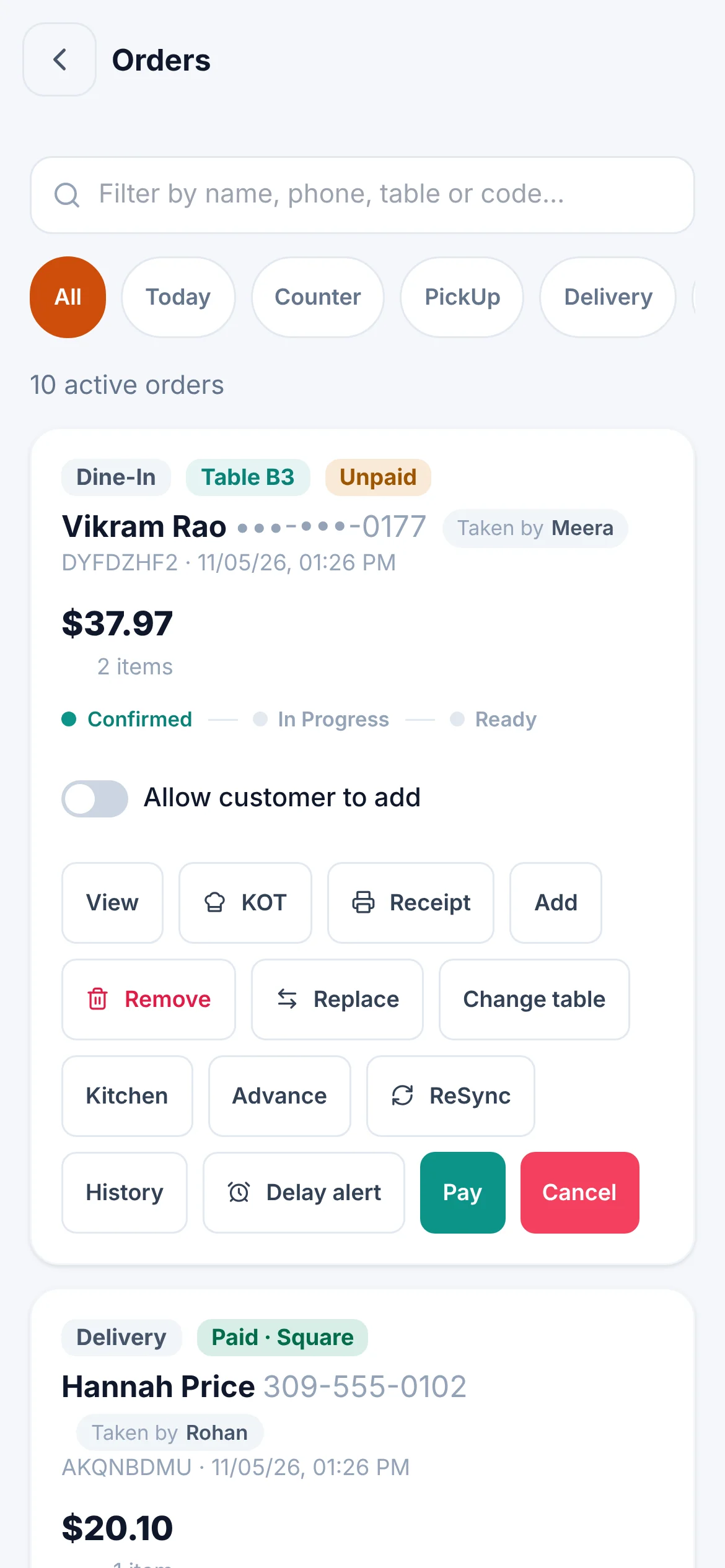
Real screens from Bloom POS. Each person picks their interface; the business picks from 20+ looks in the Style editor.
Bloom POS 2.0
Four interfaces. Each person picks theirs.
Daylight, Night Shift, Standard or Classic — every staff member works in the interface they're fastest in, on the same live data.
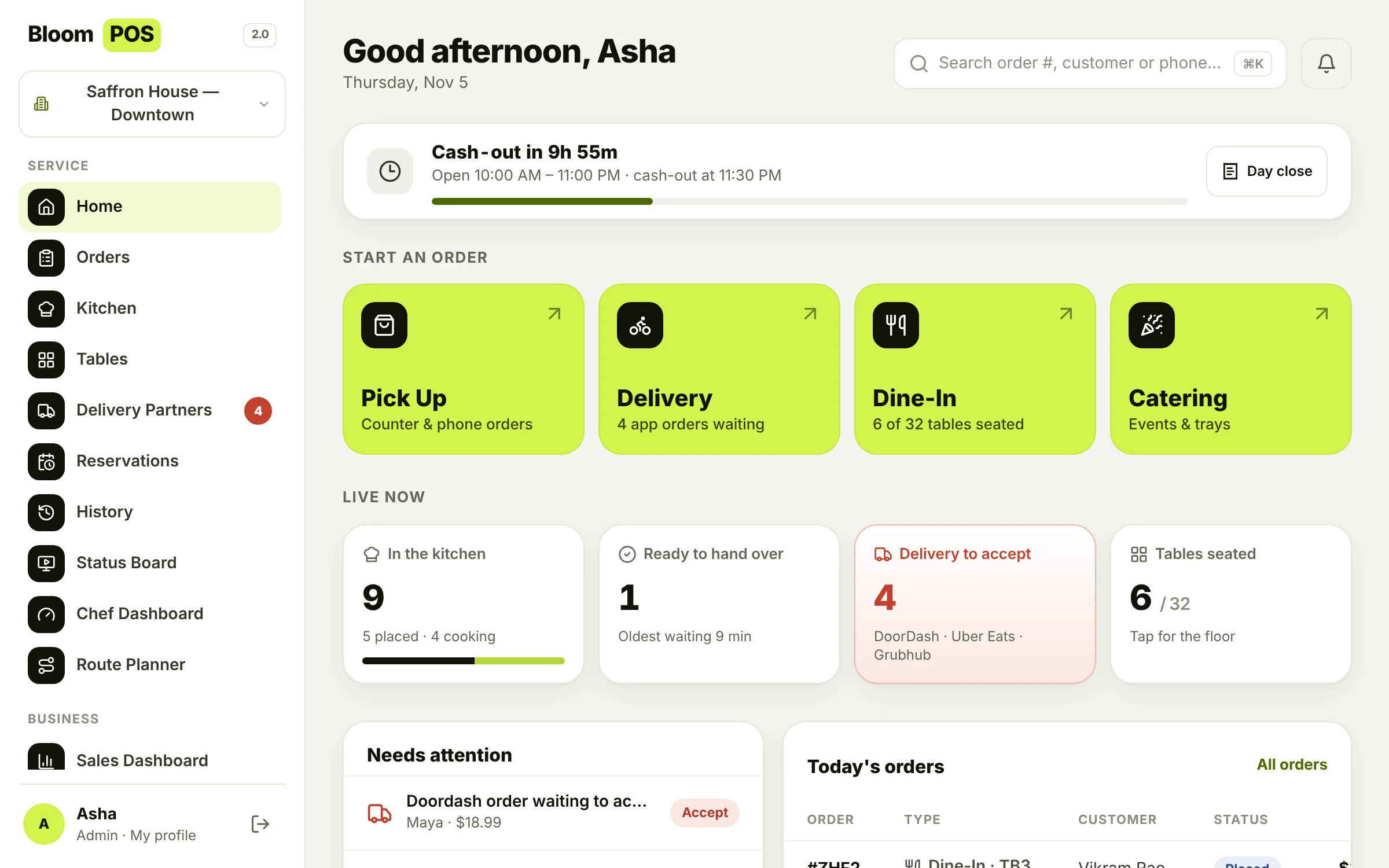
Daylight
Bright, calm and roomy for front-of-house.
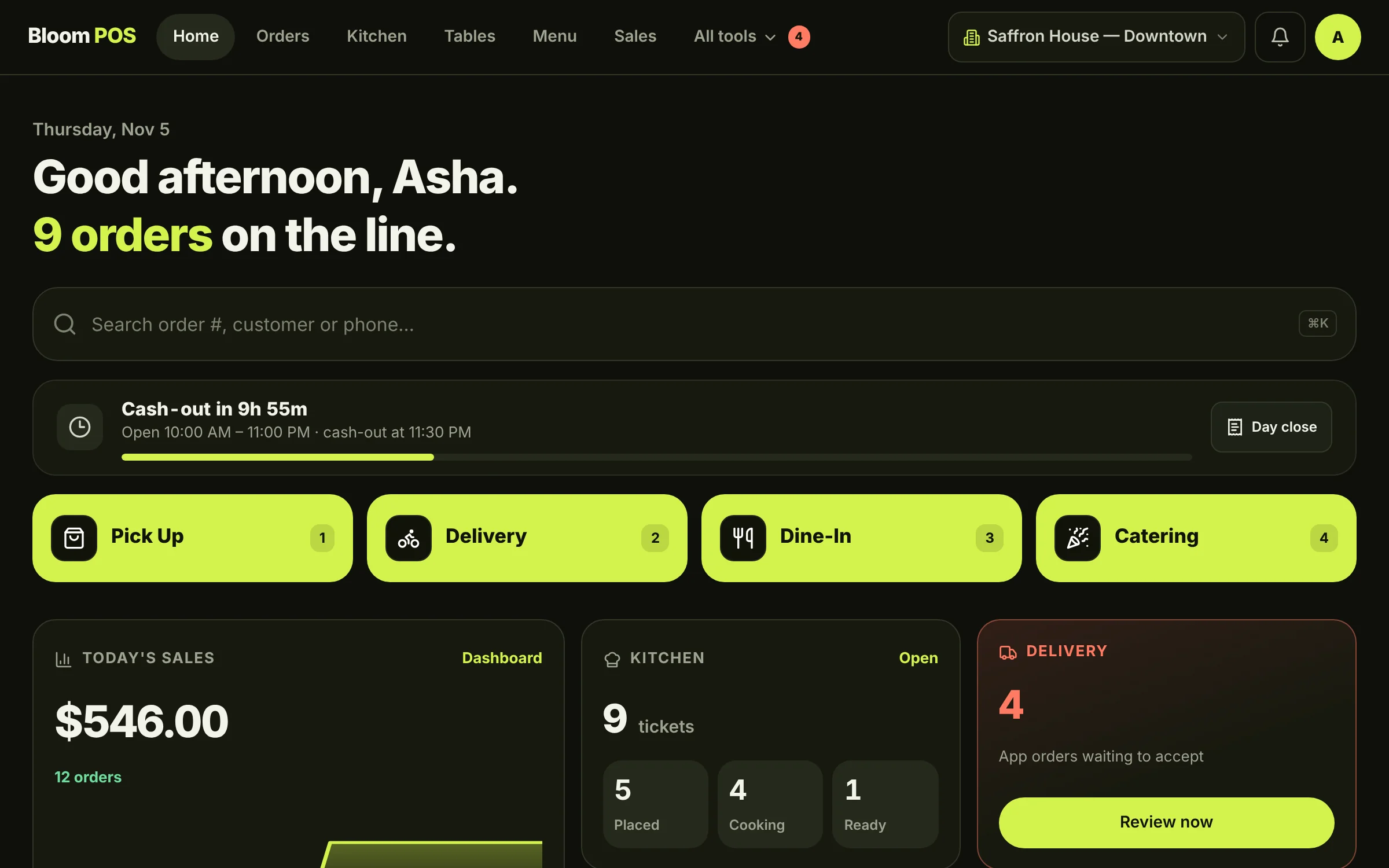
Night Shift
Dark and high-contrast for evening service.
Standard
The familiar tile home, built for speed.
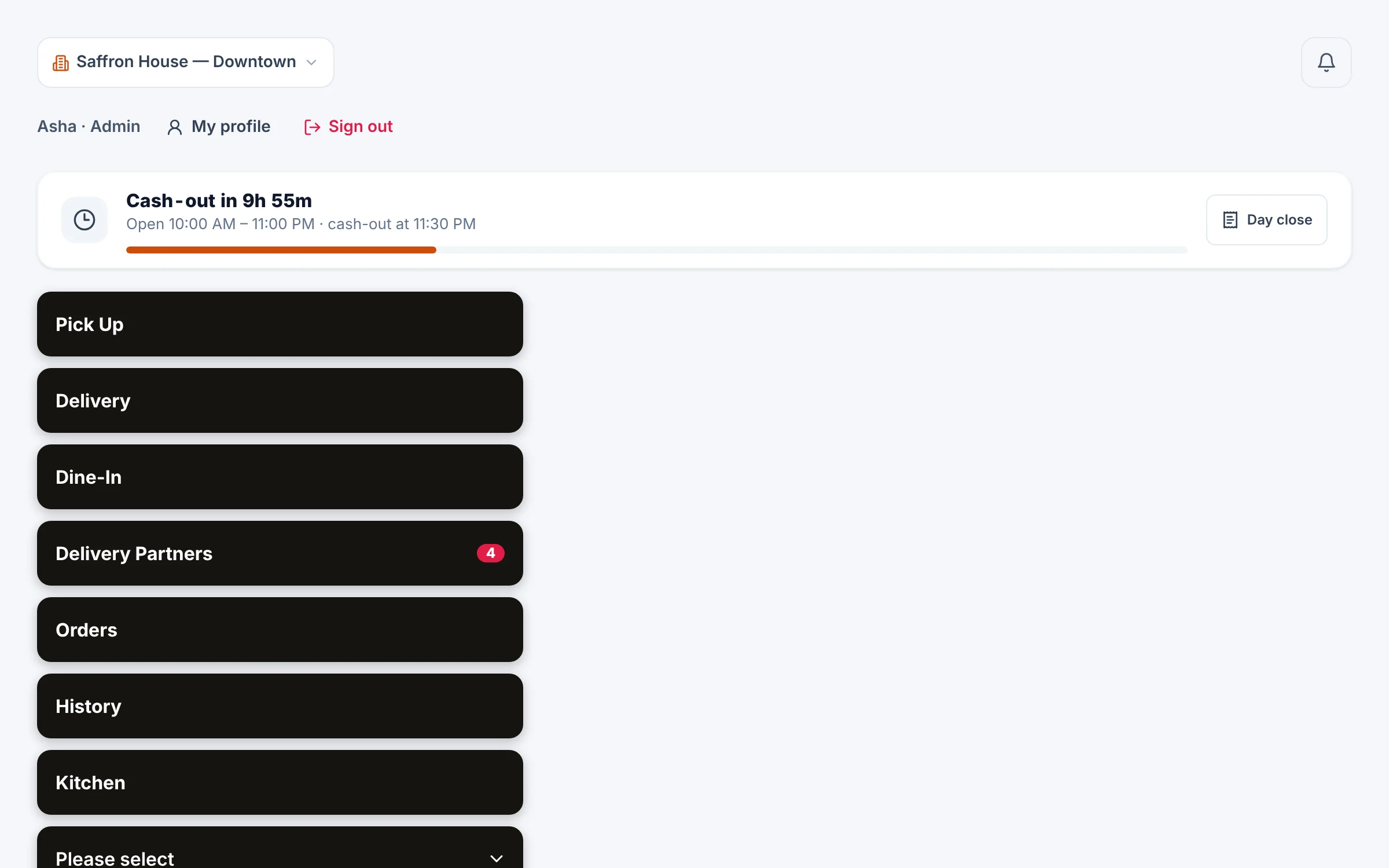
Classic
Big, simple buttons — easy for new staff.
Explore the product
Everything you need to run service
Real screens from Bloom POS. Pick an area to see how it works.
Ordering & checkout
Every order type, one fast screen
Pickup, delivery, dine-in, catering and pre-orders.
Learn more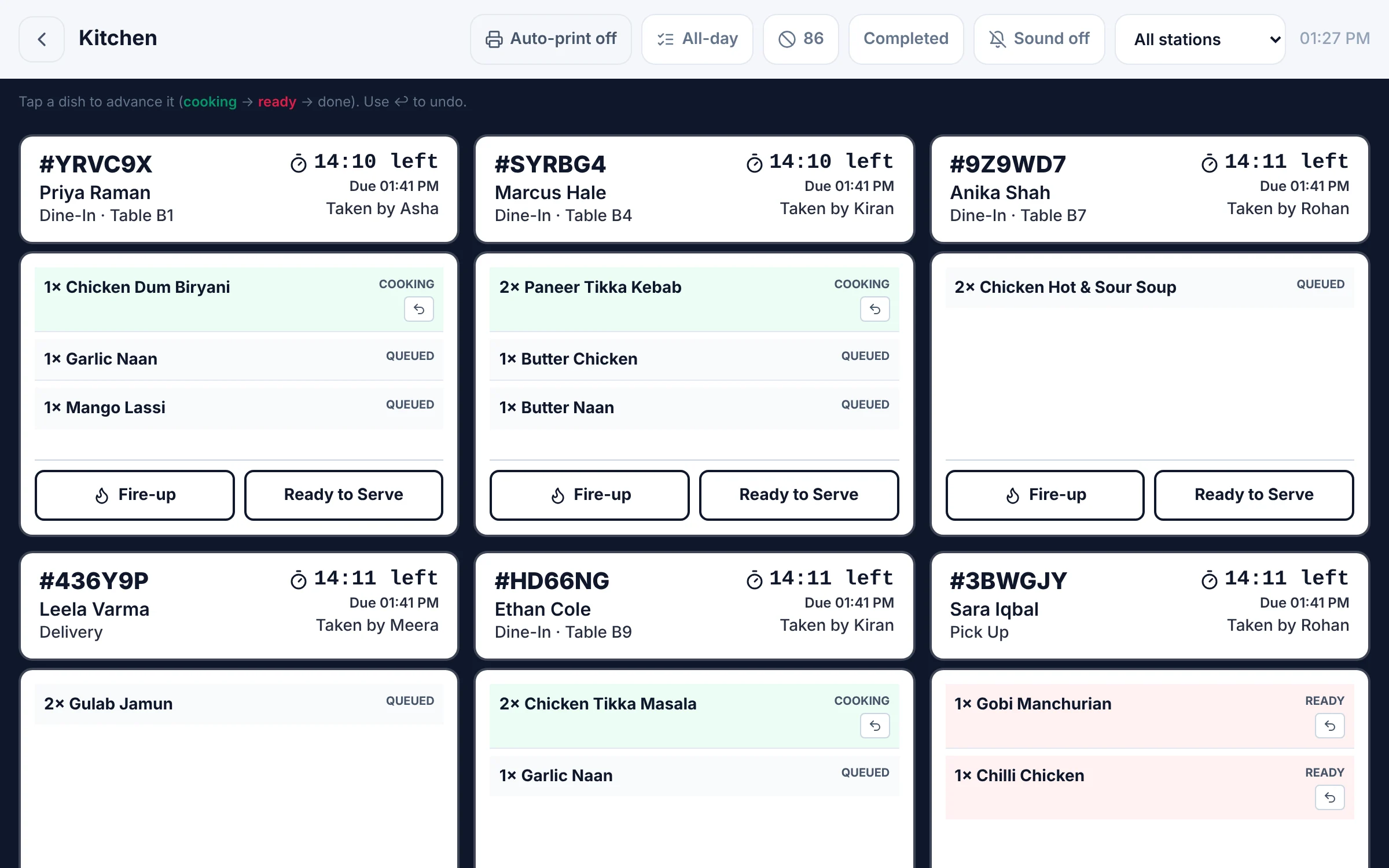
Kitchen & chefs
A kitchen that keeps up with the rush
Station boards, priority & delay alerts, chef tracking.
Learn more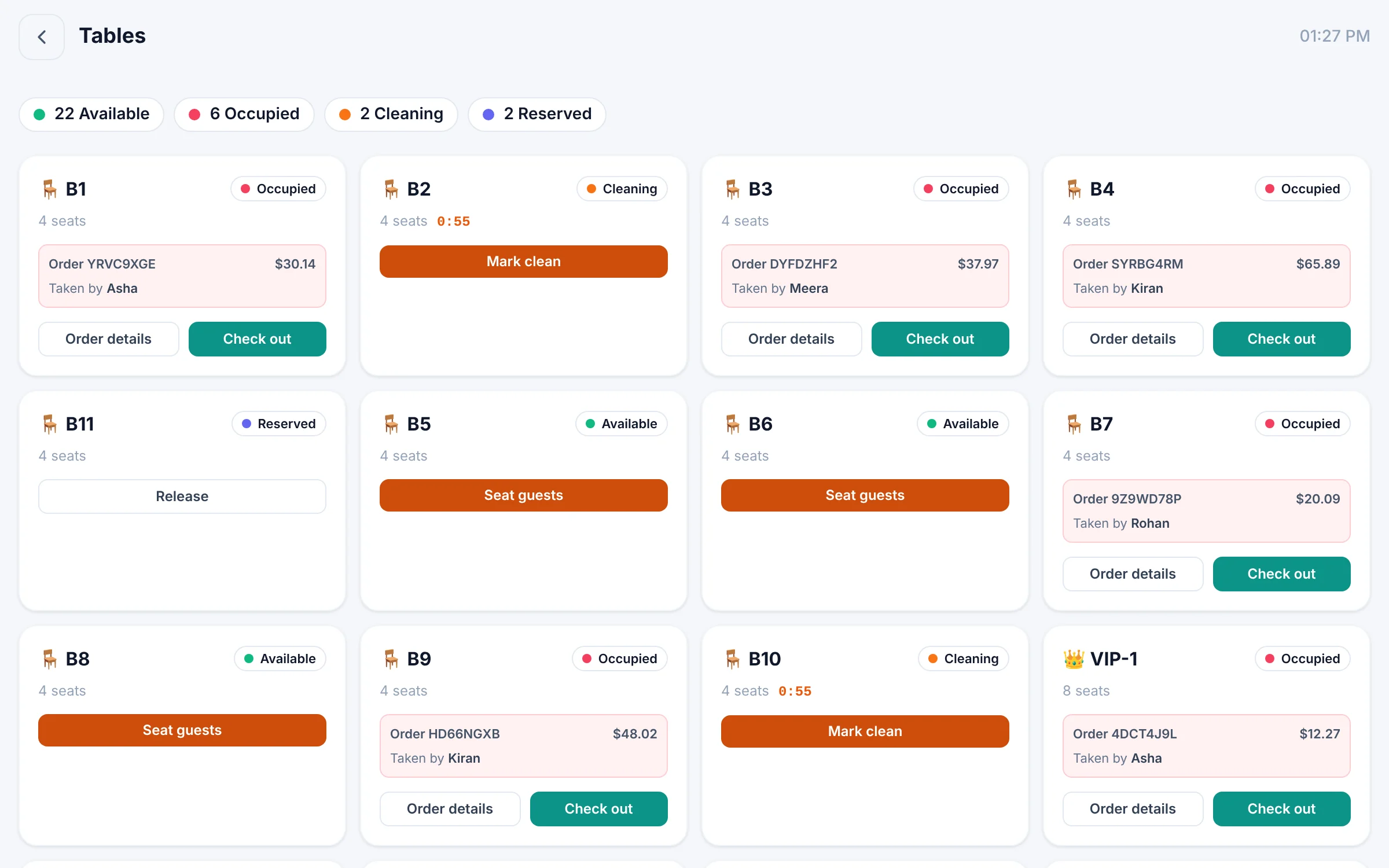
Tables & reservations
Know every table at a glance
Live table status, floor map or cards, bookings.
Learn more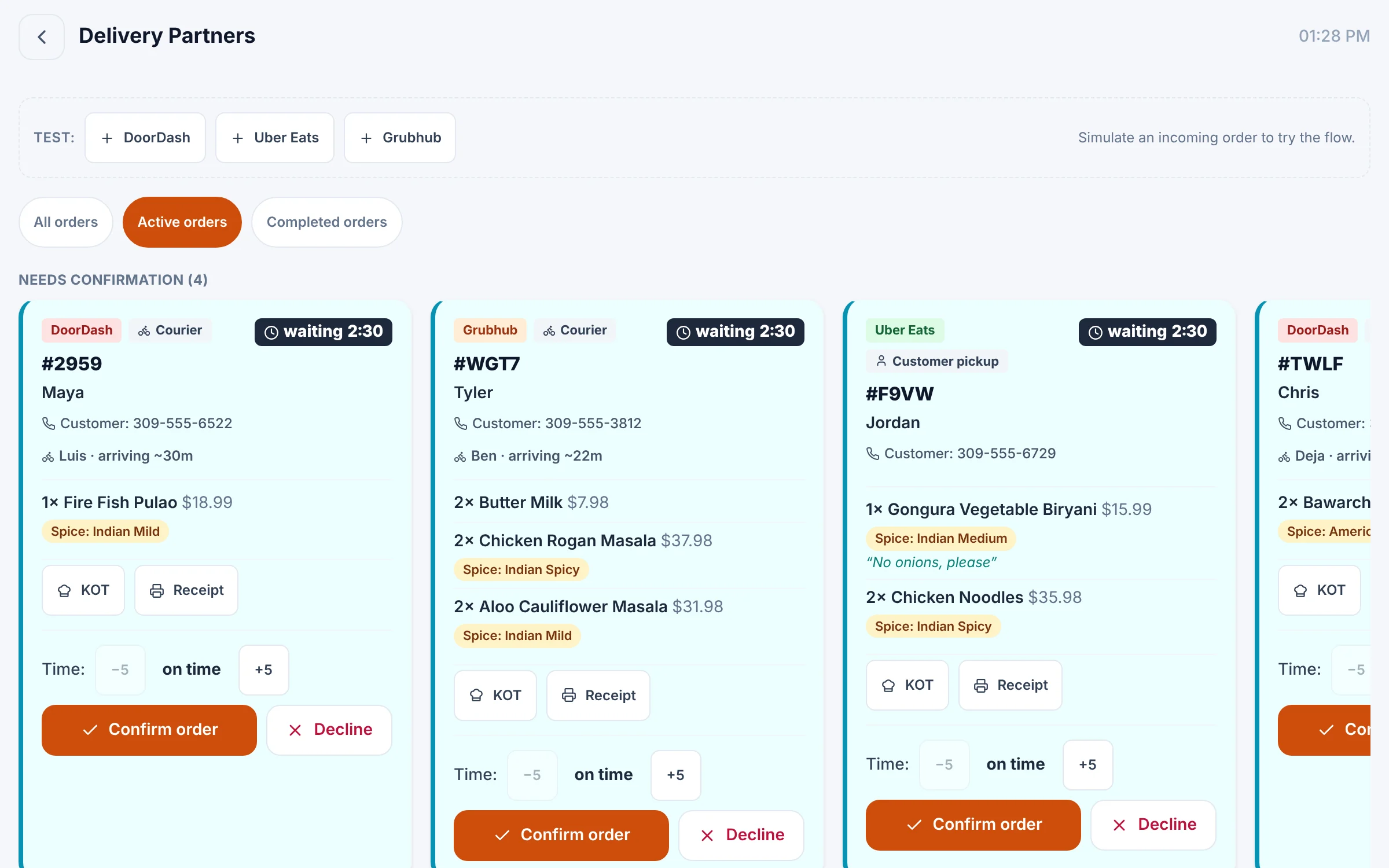
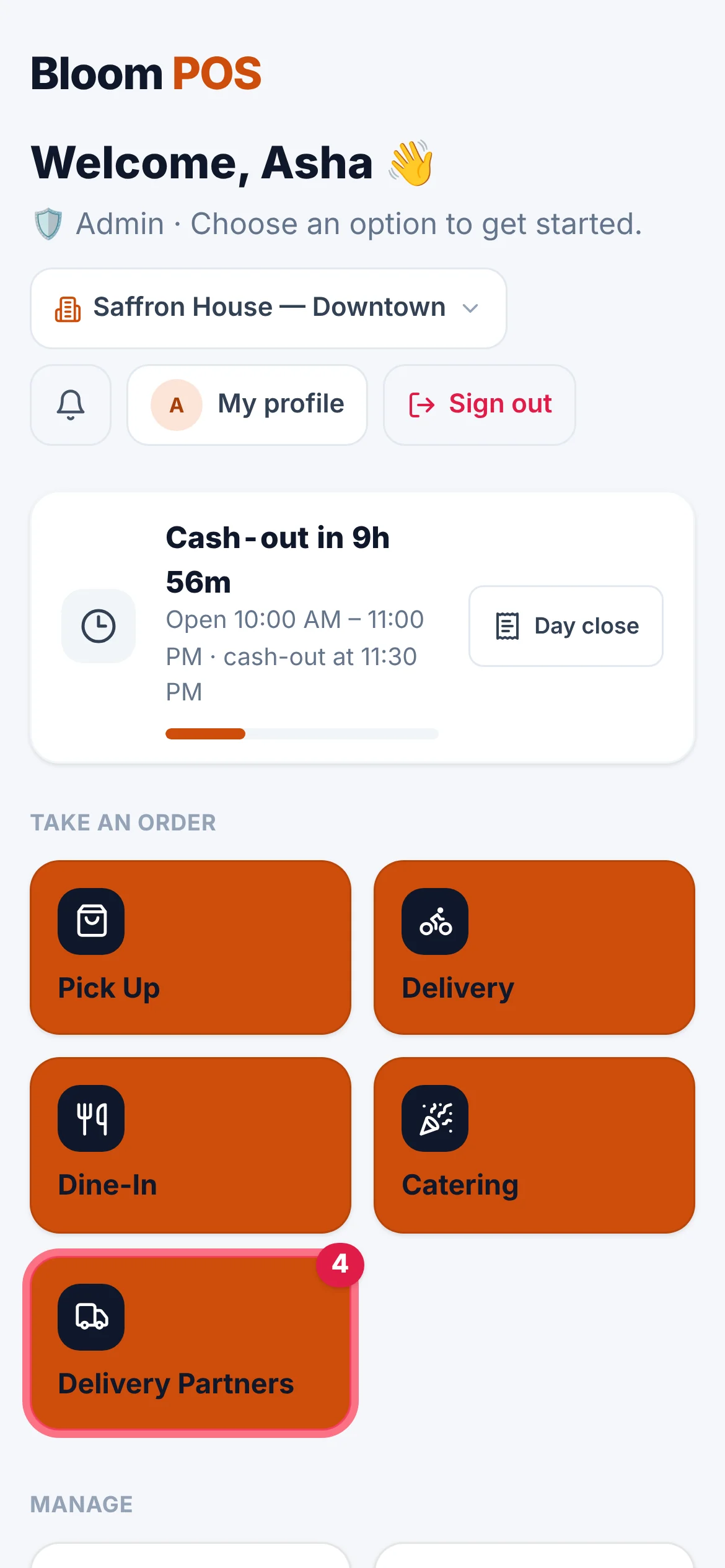
Delivery apps
Delivery apps, minus the tablet pile
Uber Eats, DoorDash, Grubhub and your own drivers.
Learn more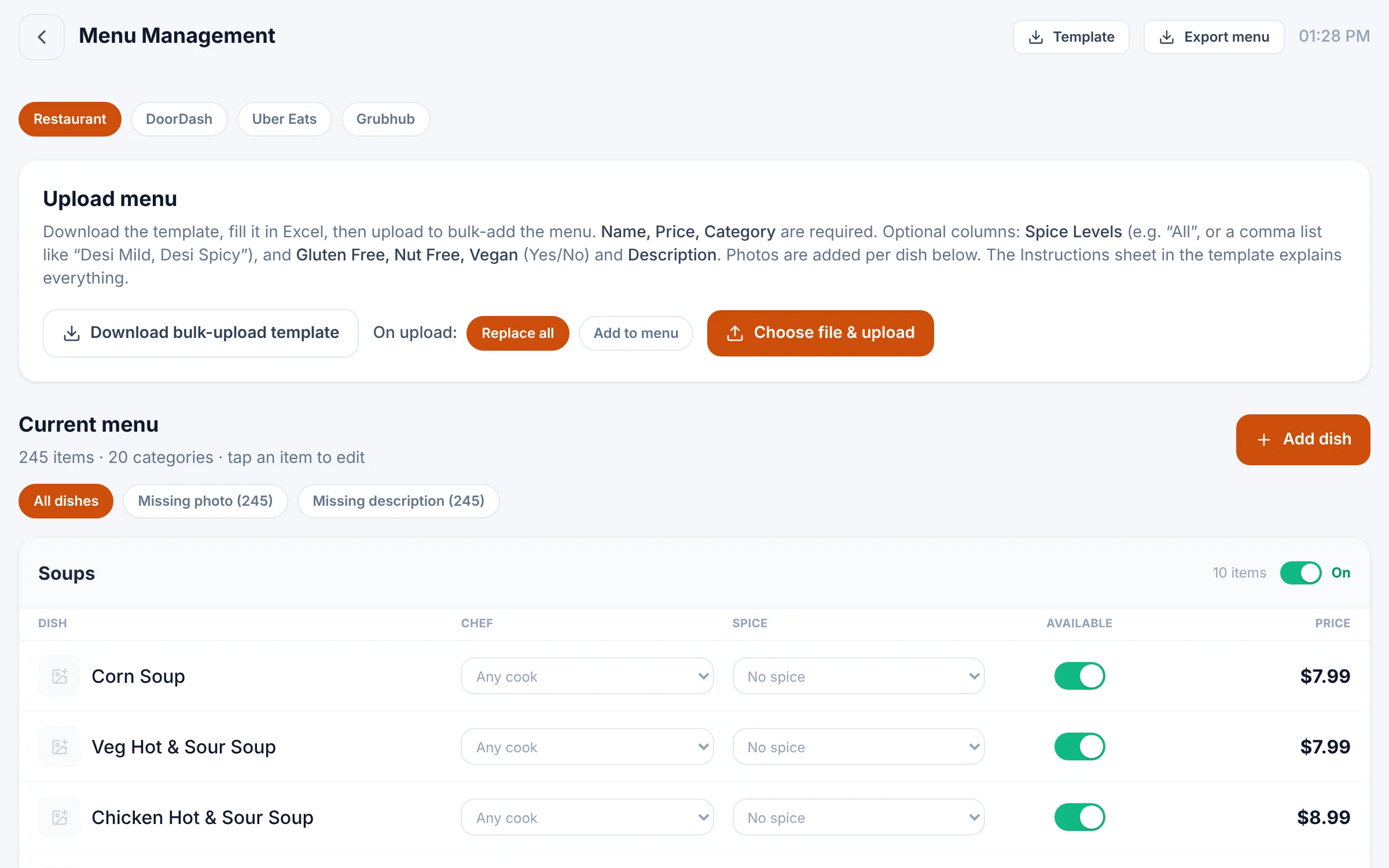
Menu & inventory
Your menu and stock, under control
Bulk menu upload, channel menus, stock & suppliers.
Learn more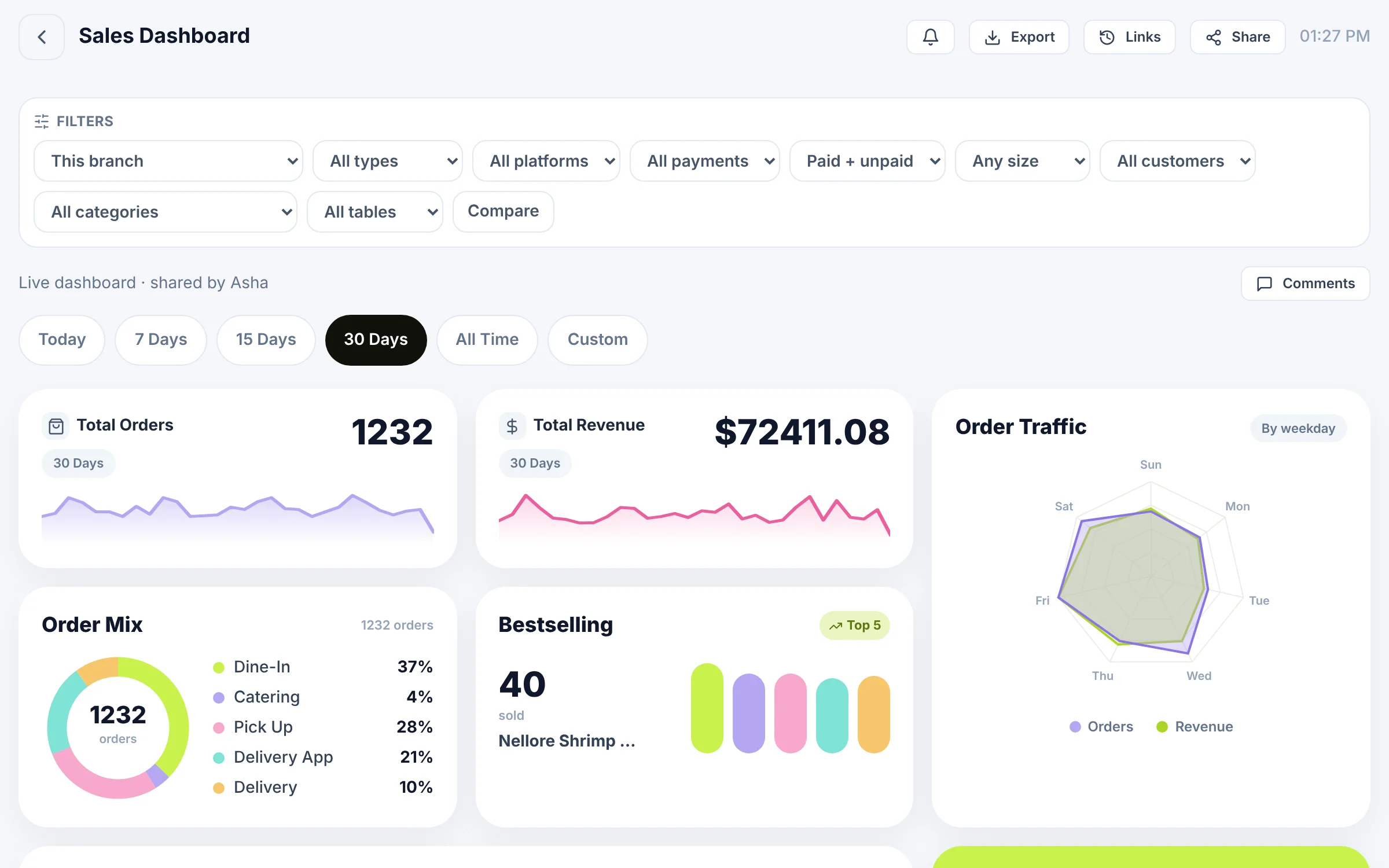
Reports & insights
Every number, for every branch
Sales dashboard with every filter, exports and share links.
Learn more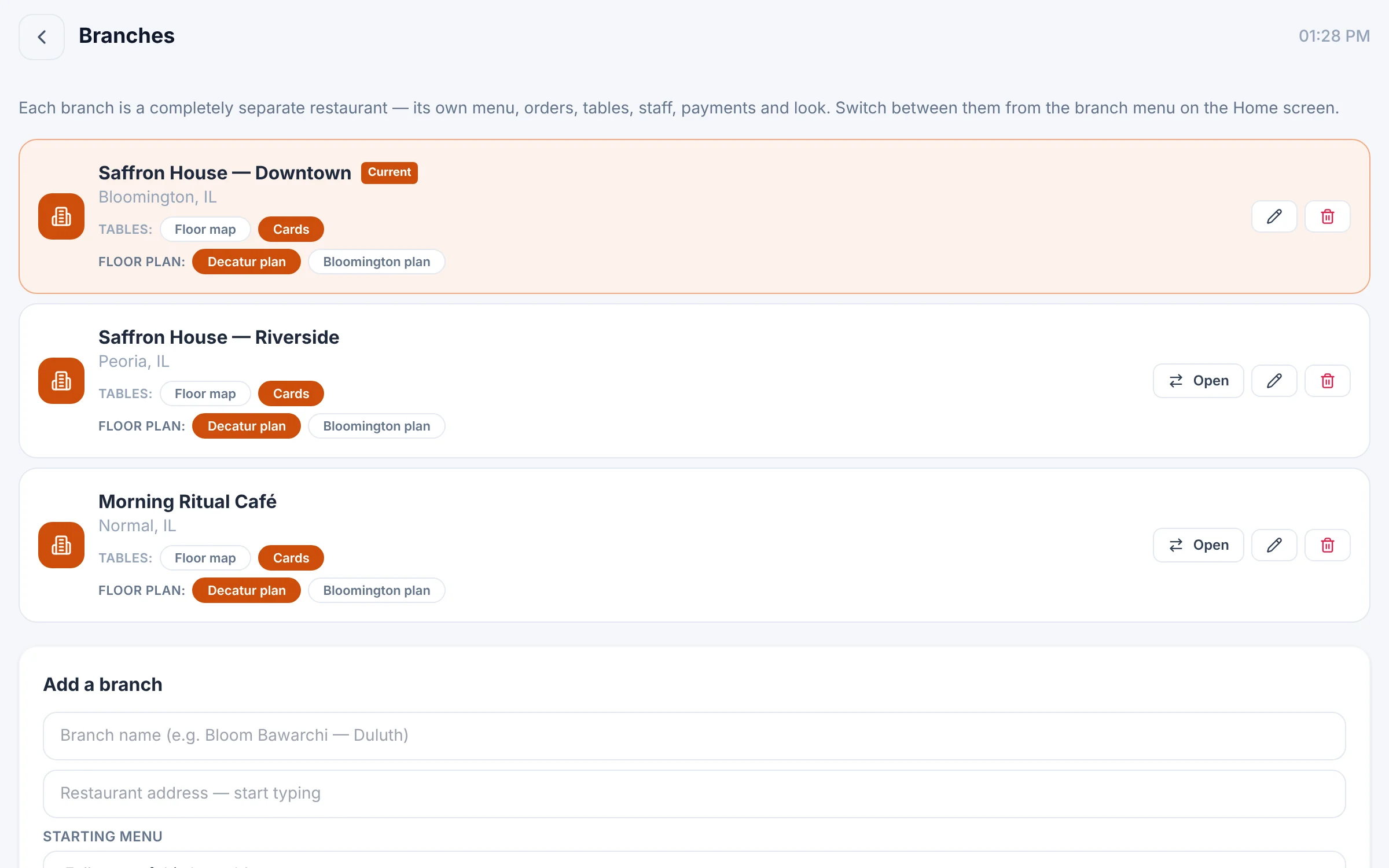
Multi-branch
Every location is its own restaurant
Separate branches, one login, group-wide reports.
Learn moreCustomization
Colors, type, shapes, icons and motion — every screen, every branch.
Try the looks- Available now
Apps & kiosk
Bloom POS for iPhone, iPad and Android, plus the self-order kiosk.
Downloads
Why businesses choose Bloom
Built for the rush, shaped by real service
Fully customizable
Your brand on every screen, down to the icons.
Every channel, one queue
Delivery apps and in-house orders flow together.
Made for groups
Each branch runs its own way — you see them all.
Control built in
Roles, staff PINs and a full audit log.
- Locations live on Bloom POS
- 5
- Delivery apps in one queue
- 3
- Ready-made looks to start from
- 20+
- Menu items managed at a single branch
- 245
Available now
Native apps for iPhone, iPad and Android
Bloom POS is on the App Store and Google Play, with the self-order kiosk for Android — the same live data and the same look as the web portal.
- iPhone & Android
- iPad & Android tablets
See Bloom configured for your business
A 30-minute walkthrough with your menu, your floor and your workflow. No obligation.
We reply within one business day.
- 01Pick a time that suits you
- 02Tell us how you run service
- 03See Bloom set up your way