
Menu & inventory
Your menu and stock, under control
Upload hundreds of dishes from a spreadsheet, keep channel-specific menus, and know what's running low before service.
What you get
Menu & inventory, feature by feature
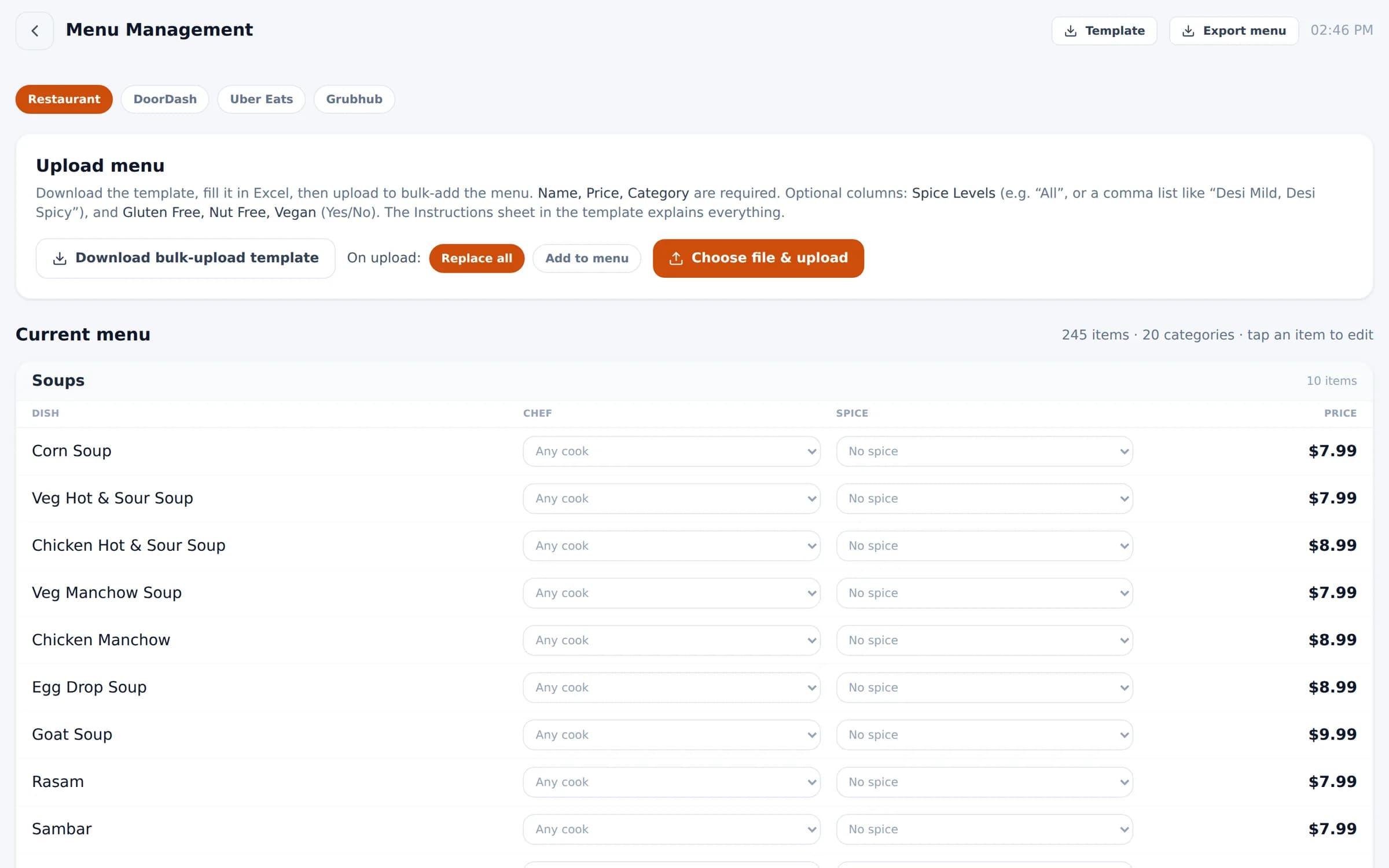
Bulk upload
Fill in the Excel template and upload — replace the menu or add to it.
Channel menus
Restaurant, DoorDash, Uber Eats and Grubhub each get their own menu and prices.
Chef & spice per dish
Route dishes to a chef and set the spice levels that apply.
Dietary tags
Mark dishes gluten free, nut free or vegan.
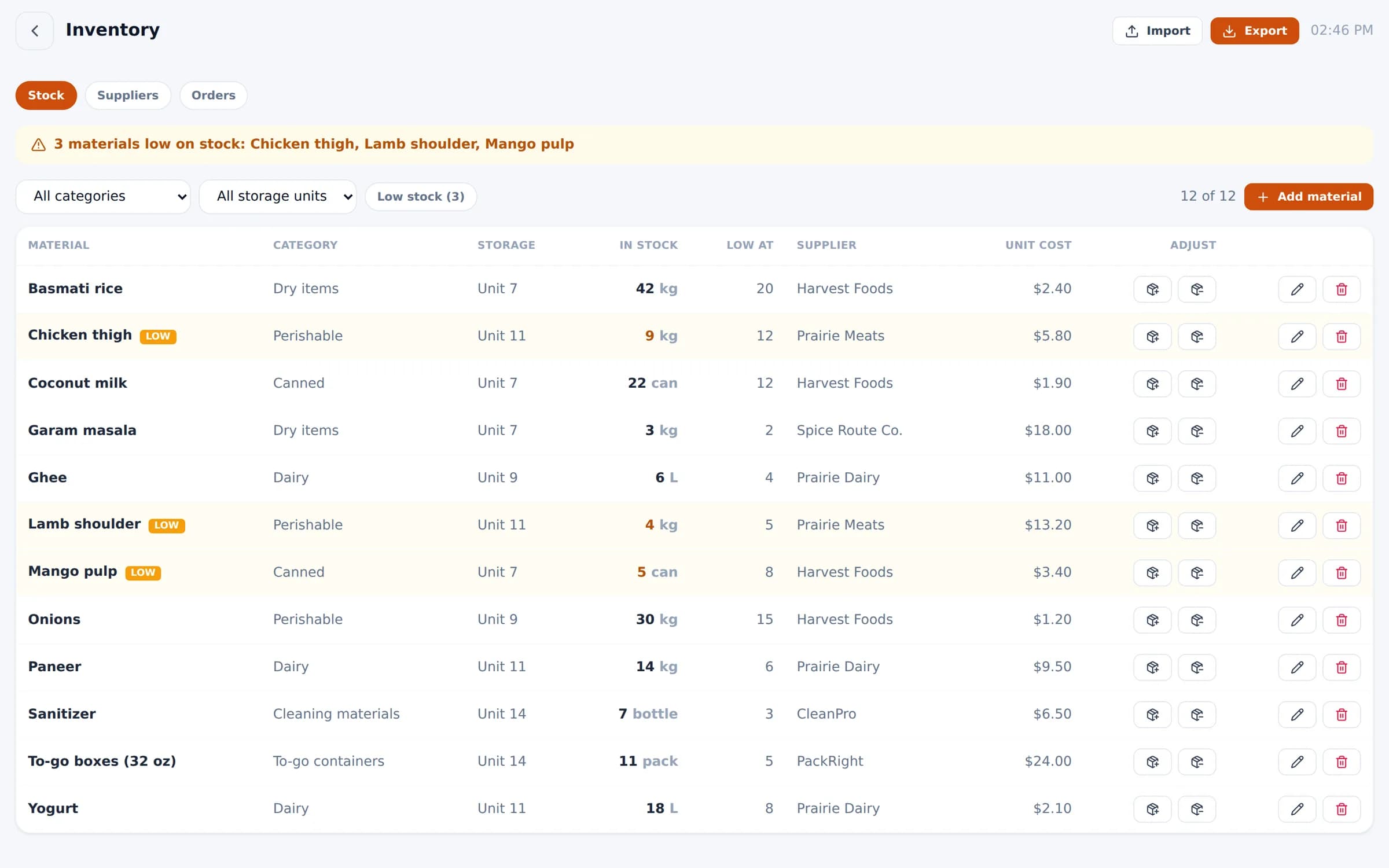
Stock & low-stock alerts
Track materials by category and storage unit, with alerts when stock runs low.
Suppliers & purchase orders
Manage suppliers, send orders, and give suppliers their own portal.
In the product
Inventory with low-stock alerts, storage units, suppliers and unit costs.
See Bloom configured for your business
A 30-minute walkthrough with your menu, your floor and your workflow. No obligation.
We reply within one business day.
- 01Pick a time that suits you
- 02Tell us how you run service
- 03See Bloom set up your way