
Ordering & checkout
Every order type, one fast screen
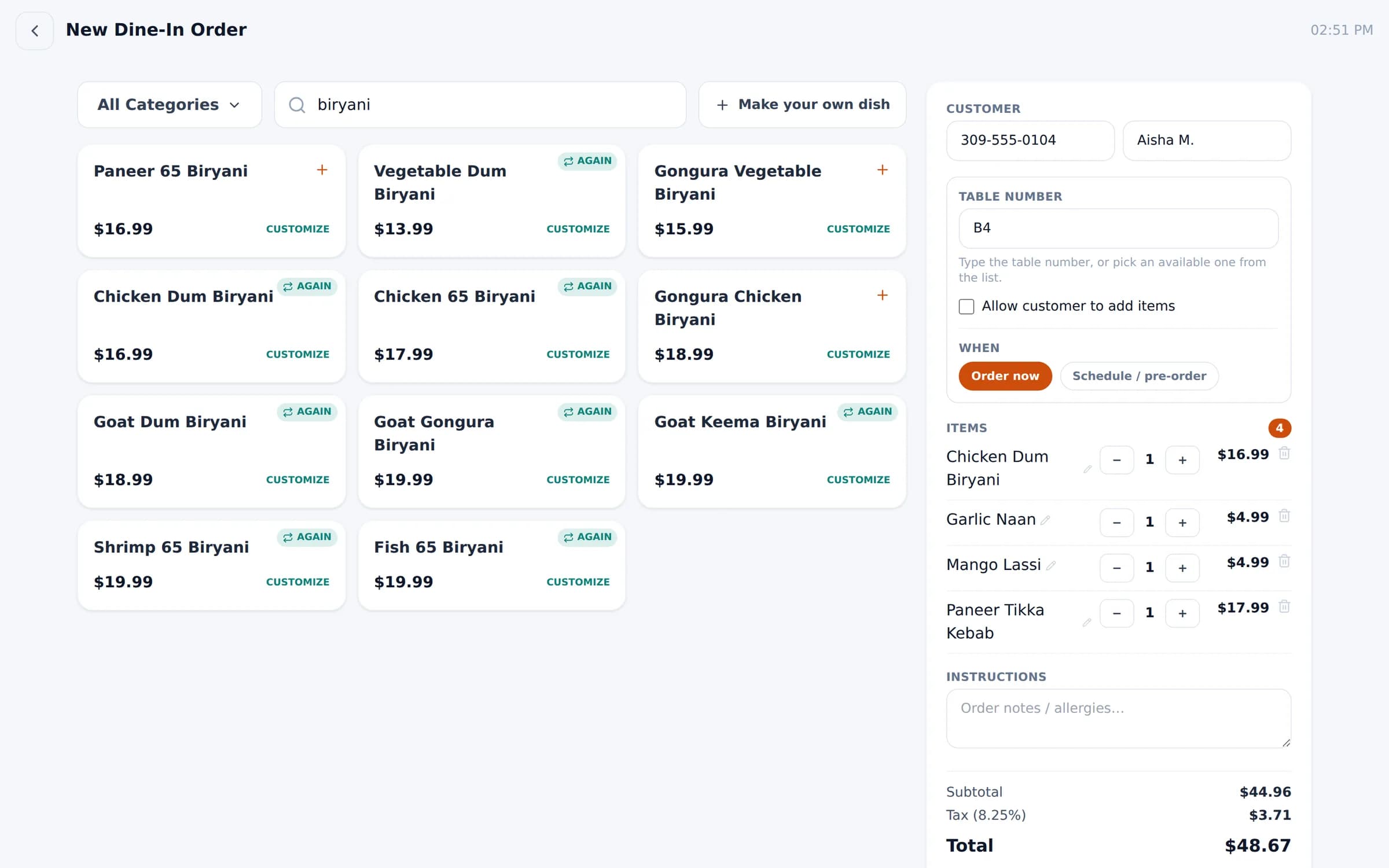
Pickup, delivery, dine-in and catering share one order screen built for speed — search a dish, tap, done.
What you get
Ordering & checkout, feature by feature
Search-first menu
Start typing and every matching dish appears. Filter by category when you need to.
Repeat guests spotted
Enter a phone number and dishes the guest ordered before are marked “again”.
Schedule & pre-order
Take orders for later. Scheduled orders fire to the kitchen automatically at the right time.
Make your own dish
Off-menu request? Describe it for the kitchen and set the price later.
Guests add from their phone
For dine-in, text guests a link so they can add items to their table's order themselves.
Payments your way
Cash, card, Square, Clover, customer wallet or coupon — with receipts and kitchen tickets (KOT).
In the product
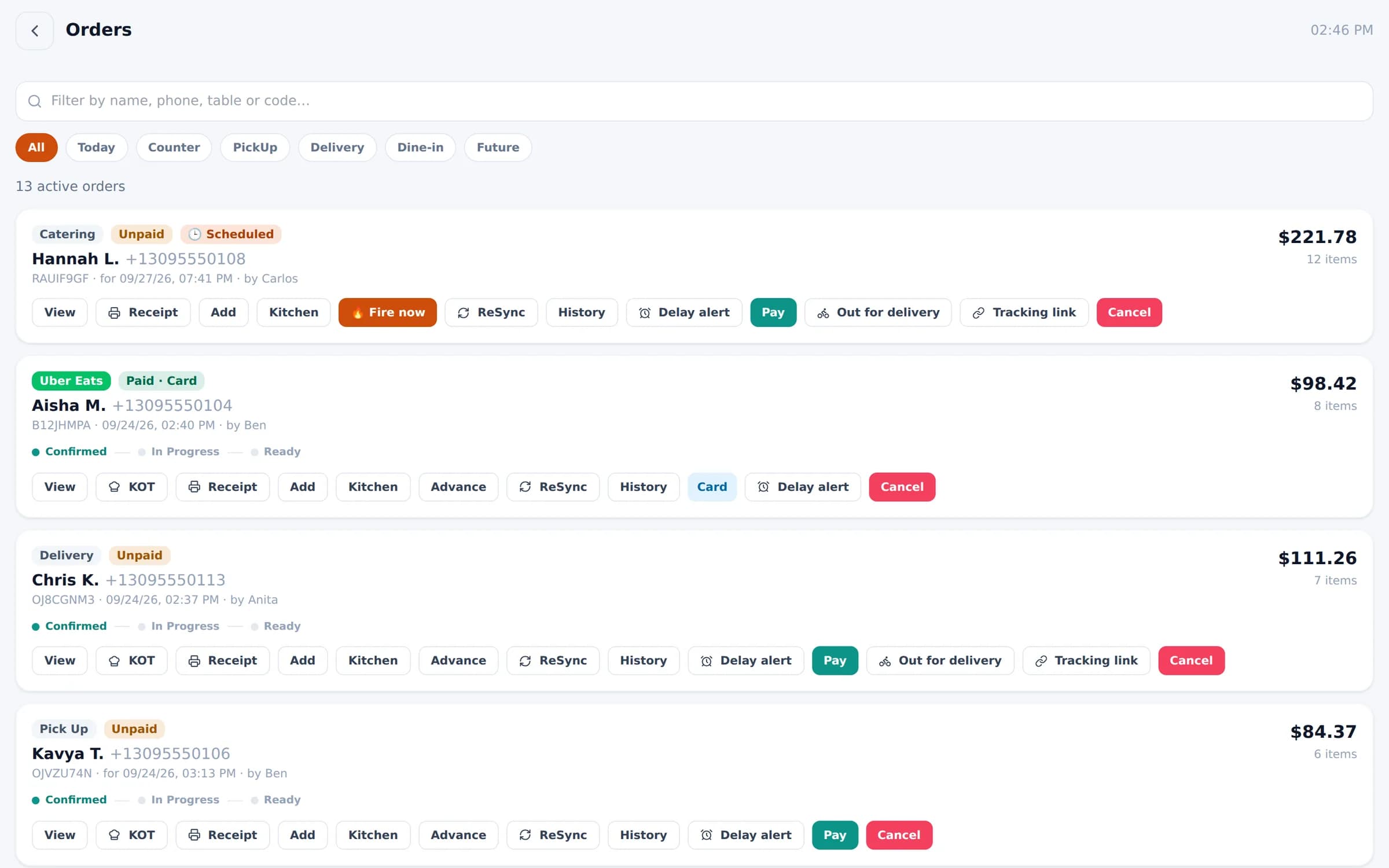
The orders board: every active order with status, payment and one-tap actions.
In the product
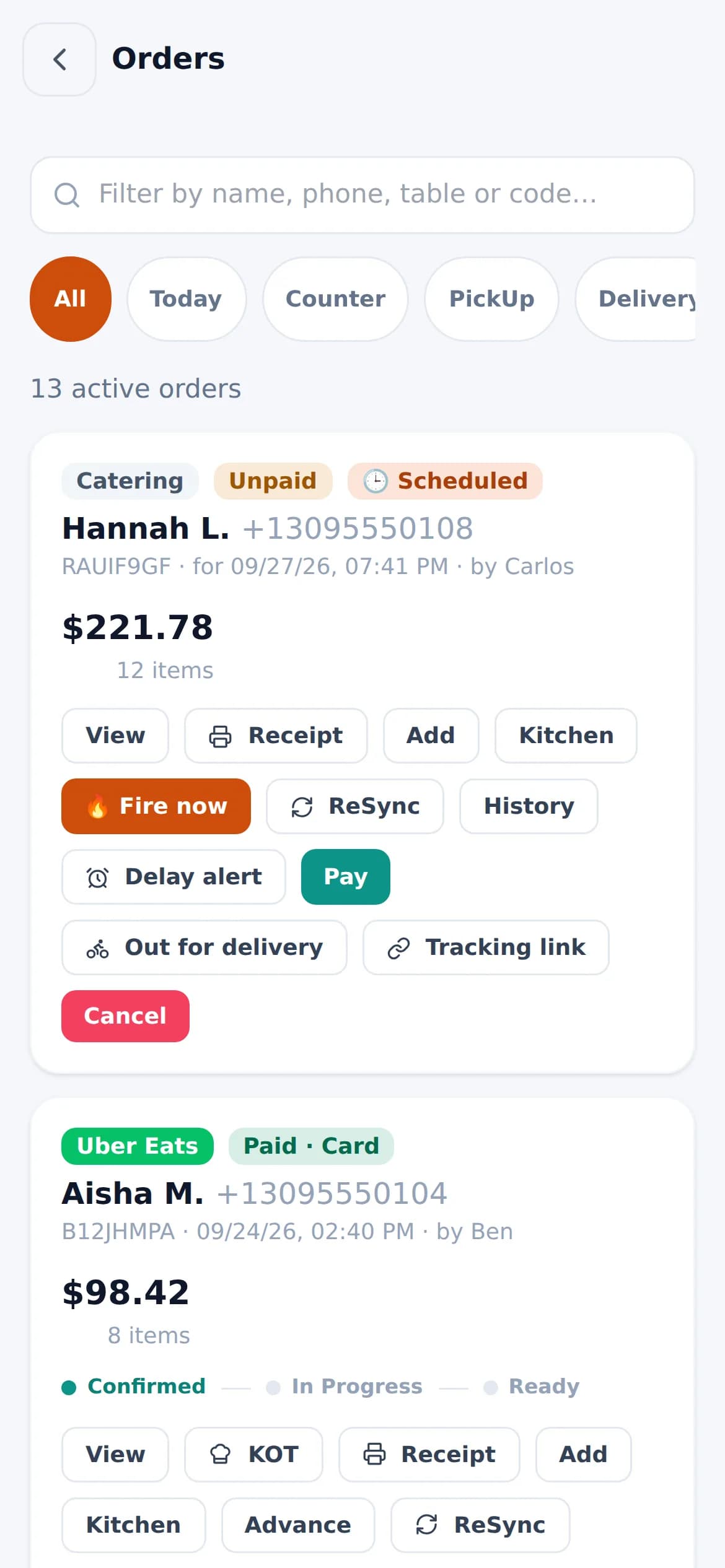
The same board on a staff phone.
See Bloom configured for your business
A 30-minute walkthrough with your menu, your floor and your workflow. No obligation.
We reply within one business day.
- 01Pick a time that suits you
- 02Tell us how you run service
- 03See Bloom set up your way